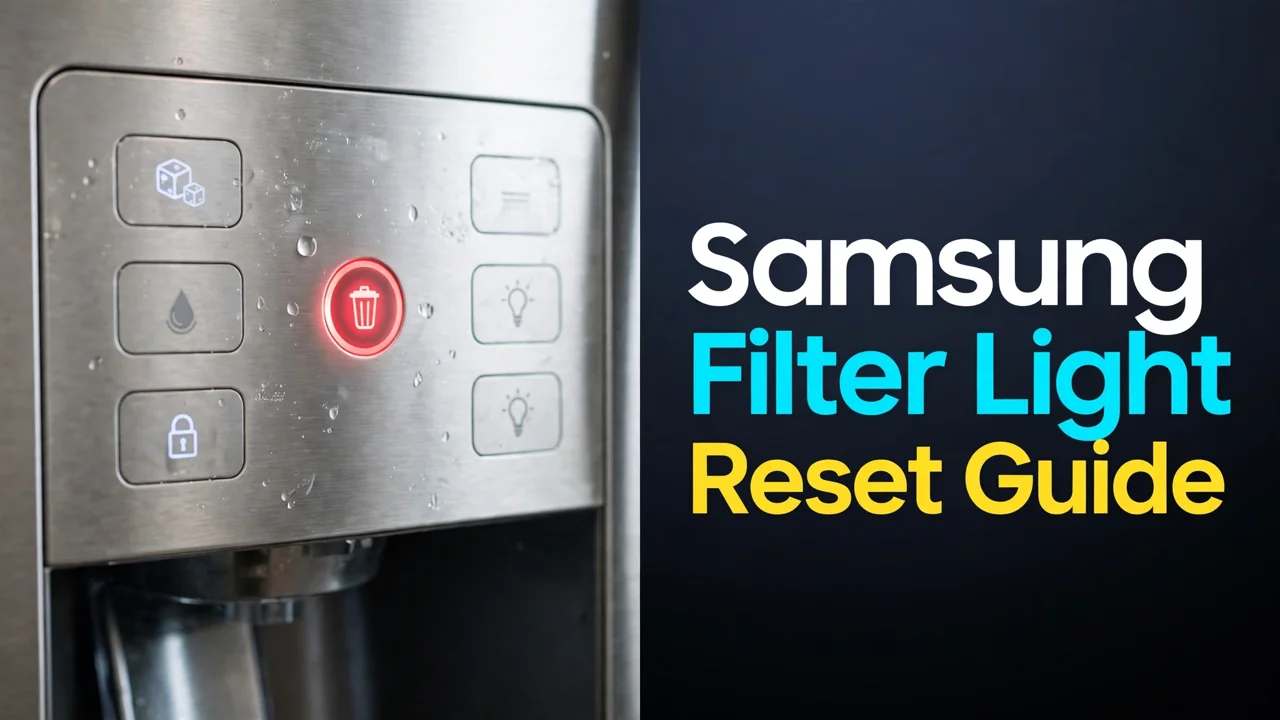

How to Reset the Samsung Fridge Water Filter Light (2026)
Guide
You changed the filter — or the red light came on and you are about to — and the indicator on your Samsung fridge refuses to go back to blue. Samsung buries the reset in three different places depending on the model: a button hold, a two-button combination on older panels, or a menu path on Family Hub screens. This guide covers all three, plus the honest part most reset guides skip.
The short answer: on most Samsung models, press and hold the Filter Reset button for about 3 seconds until the light clears. On older models where Filter Reset shares a button, hold Ice Type and Child Lock together for 3 seconds. On Family Hub models, go to Fridge Manager → Fridge Settings → Water Filter → Reset. And do the swap first — the light is a timer, not a sensor, so resetting it without changing the cartridge just silences your only reminder.
Table of Contents
What the light actually means
Samsung’s filter indicator runs on a schedule, not on water quality: it tracks roughly six months (with an earlier amber or purple stage on many models as the deadline approaches) and turns red when the interval expires. It cannot taste your water, and it does not know whether a cartridge is even installed. Two consequences follow. First, a red light with a brand-new cartridge is normal — the timer does not reset itself on most models; you reset it. Second, a blue light proves nothing about the cartridge’s condition. Keep both facts in mind and the reset stops being a mystery: it is you telling the fridge’s calendar that the swap happened.
Step zero: change the filter first

If you have not swapped yet: most Samsung French-door models carry the cartridge horizontally between the crisper drawers (the DA29-00020B / HAF-QIN family — see our DA29-00020B replacement guide and HAF-QIN replacement guide), turned a quarter-turn counterclockwise to release. Seat the new one fully, flush 2–4 gallons, and then reset. Resetting before the swap is how households end up drinking through a year-old cartridge behind a reassuring blue light.
The reset, by panel type

| Panel type | Reset method |
|---|---|
| Standard panel with a Filter Reset button | Press and hold Filter Reset for ~3 seconds, until the red light turns off or back to blue. |
| Older panel, reset shares a button | Press and hold Ice Type + Child Lock together for ~3 seconds. |
| Family Hub touchscreen | Open Fridge Manager → Fridge Settings → Water Filter, then tap Reset (some versions: hold the water-filter status on screen). |
| Internal (in-fridge) control panel | Same Filter Reset hold — the panel is inside the fresh-food compartment on some side-by-side models. |
On panels where the same button cycles settings with a tap, the distinction is duration: a tap changes the setting, a genuine 3-second hold resets the timer. Count it out — most “the reset doesn’t work” stories are really “the hold was one second”. If your Samsung is a different layout entirely, our all-brands reset guide and the general reset instructions guide cover the variants.

If the light will not reset
- The hold was too short, or the panel was locked. If Child Lock is on, the panel ignores holds. Unlock it first, then hold a full 3 seconds.
- The cartridge is not fully seated. A quarter-turn stopped short can leave the switch unpressed on models that pair the indicator with cartridge presence. Reseat until it locks, then reset again.
- You are holding the wrong button. On combo panels the reset is Ice Type + Child Lock together — neither alone does anything.
- The panel needs a reboot. Rare, but documented: unplug the fridge (or flip its breaker) for a minute, restore power, and repeat the hold. Settings survive a short power cut.
Conclusion
Resetting a Samsung filter light is a 3-second hold on most models, a two-button hold on older ones, and a short menu walk on Family Hub screens. Do it after the swap and flush, with the panel unlocked and the cartridge fully seated, and it works the first time. And remember what the light is: a calendar. The cartridge’s real condition is in the flow and the taste, not the color of an LED.
Update log
October 2026: Guide published with reset methods cross-checked against Samsung owner documentation for standard, combination and Family Hub panels.
FAQs
How do I reset the water filter light on my Samsung fridge?
On most models, press and hold the Filter Reset button for about 3 seconds until the indicator turns off or blue. Older panels where Filter Reset shares a button use a combination: hold Ice Type and Child Lock together for 3 seconds. Family Hub models reset from the screen: Fridge Manager, then Fridge Settings, then Water Filter, then Reset.
Does the Samsung filter light reset itself when I change the filter?
On most models, no. The indicator is a timer on a roughly six-month schedule; it does not detect the new cartridge. Changing the filter without resetting leaves the red light on until you do the button hold or the Family Hub menu reset.
Why is my Samsung filter light still red after a new filter and a reset?
The three usual causes: the hold was shorter than a full 3 seconds, the control panel was locked (Child Lock on), or the cartridge is not completely seated — reseat it until it locks and repeat the hold. A one-minute power cycle clears the rare genuinely stuck panel.
Can I reset the filter light without changing the filter?
Yes — mechanically, the reset works any time, because the light is only a timer. But resetting without changing leaves an exhausted cartridge in place and removes your only reminder to replace it. If the cartridge is genuinely near-new (for example, the light was reset late last time), that is a judgment call; make it knowingly.
What do the filter light colors mean on a Samsung fridge?
Blue (or off) means the timer is in its normal window. Many models show an amber or purple stage as the six-month mark approaches, and red when the interval has expired and the cartridge is due. The colors track elapsed time — not measured water quality — so treat red as “due” and blue as “not yet due”, nothing more.
Where is the Filter Reset button on a Samsung fridge?
On the dispenser control panel on most French-door and side-by-side models; inside the fresh-food compartment on models with an internal panel; and in the Fridge Manager settings on Family Hub touchscreen models. On older panels it may not be labeled separately — the reset is then the Ice Type plus Child Lock combination hold.