

Fridge Water Filter Reset Instructions (2026): Order, Holds & Fixes
Guide
There are three kinds of filter-light trouble: you do not know your model’s reset at all, you know it but the hold “doesn’t work”, or the light came straight back on. This guide is the systematic version of our every-brand reset roundup: the correct order of operations first, then the standard reset properly done, then the five-rung ladder for a light that refuses to clear — in the order that fixes the most fridges fastest.
The instructions in one breath: swap the cartridge, flush 2–4 gallons, unlock the panel if the padlock is lit, then press and hold your brand’s filter button (or button pair) for a full, counted 3 seconds. If the light survives that, climb the ladder below — reseat the cartridge, verify the combination, power-cycle for one minute. A genuinely failed panel is the rarest outcome on the list.
Table of Contents
The correct order: swap, flush, reset
Reset is step three, not step one. Swap the cartridge first — the light is a timer, and resetting it against an old cartridge erases your only reminder (the full swap routine is in our replacement walkthrough). Flush second: 2–4 gallons in cycles clears the new cartridge’s air and carbon fines, per our flush guide — and a flush completed before the reset matters because some “won’t reset” cases are really “the swap registered as incomplete” on models whose indicator pairs with cartridge presence. Reset last, with the fridge settled and the dispenser flowing normally.
The standard reset, done properly
Most brands: locate the filter button (labeled Filter Reset, Water Filter, or Filter Status — on the dispenser panel, inside the compartment on some models, or in the settings menu on screen models), place a finger flat on it, and hold for a slow count of three — one-one-thousand, two-one-thousand, three-one-thousand — until the indicator changes color or extinguishes. Two technique notes that sound trivial and are not: press the center of the touch zone (edge presses on capacitive panels register as taps, not holds), and do not rock or re-press mid-count, which restarts the timer on the hold. Brand-specific buttons, pairs and menu paths live in the reset guide table and, for Samsung’s three panel styles, the Samsung walkthrough.
The won’t-reset ladder
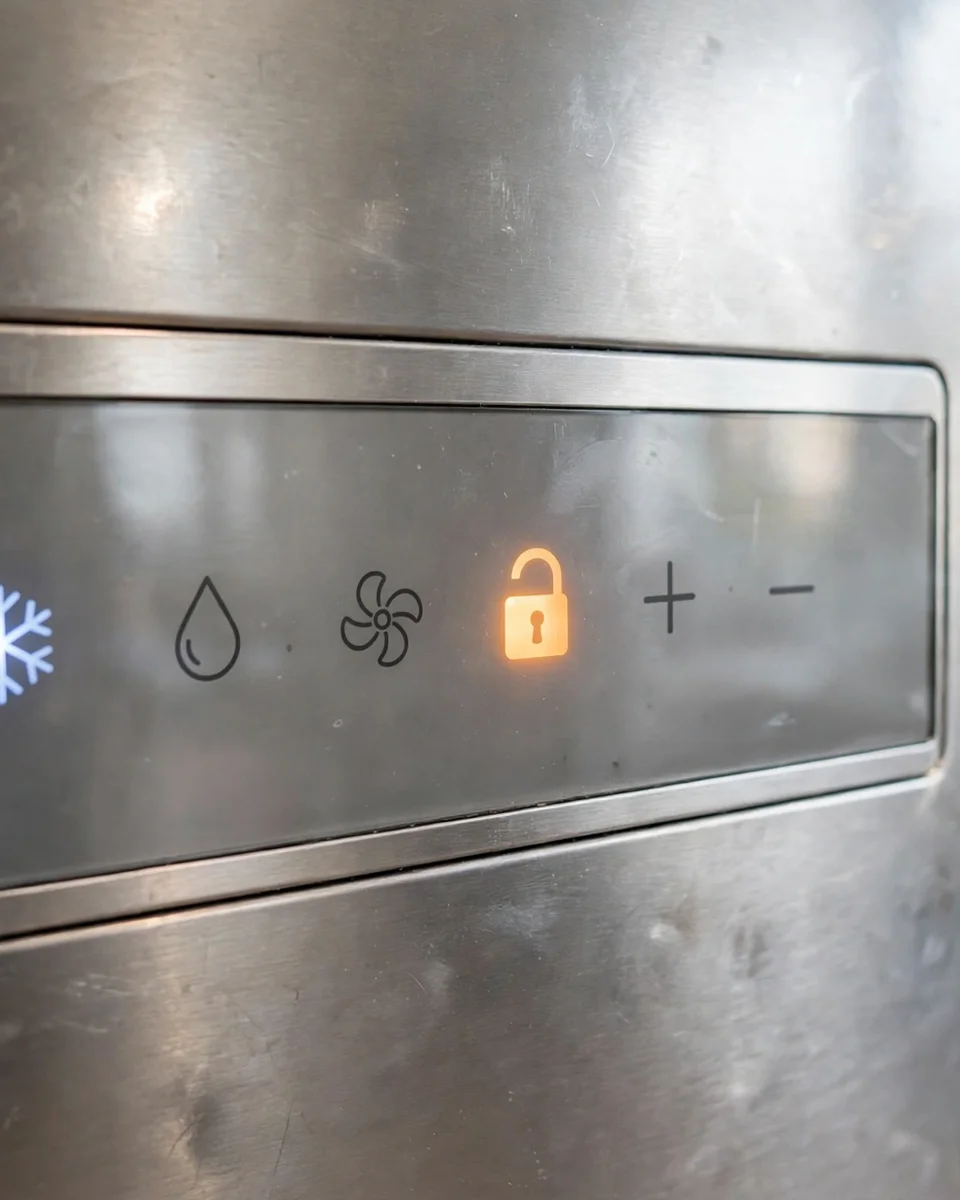
Rung 1 — the panel is locked. Child Lock (or Control Lock / Dispenser Lock) disables holds by design; its padlock icon is lit while active. Unlock it — usually holding the lock button itself for 3 seconds — then do the reset hold. This rung alone explains a large share of “the button does nothing” reports.
Rung 2 — the hold was not a hold. Repeat with technique: flat finger, center of the zone, counted three seconds, watching the indicator the whole time. If your brand’s confirmation is a beep or a color change, wait for it before releasing.

Rung 3 — your model uses a combination or a menu. Shared-function panels (older Samsung’s Ice Type + Child Lock is the famous one) ignore single-button holds completely, and screen-driven models (Family Hub, Frigidaire’s display models) keep the reset under Water Filter in settings. If holding the obvious button has failed twice, stop repeating it and look up your model’s actual method in the brand table.
Rung 4 — the cartridge is not registering. Remove the cartridge and reseat it until it locks hard. On several models, a presence switch or (on GE’s chipped lines) the cartridge chip participates in the indicator logic; a half-seated cartridge can leave the light unresettable no matter how perfect the hold. Reseat, then hold again.
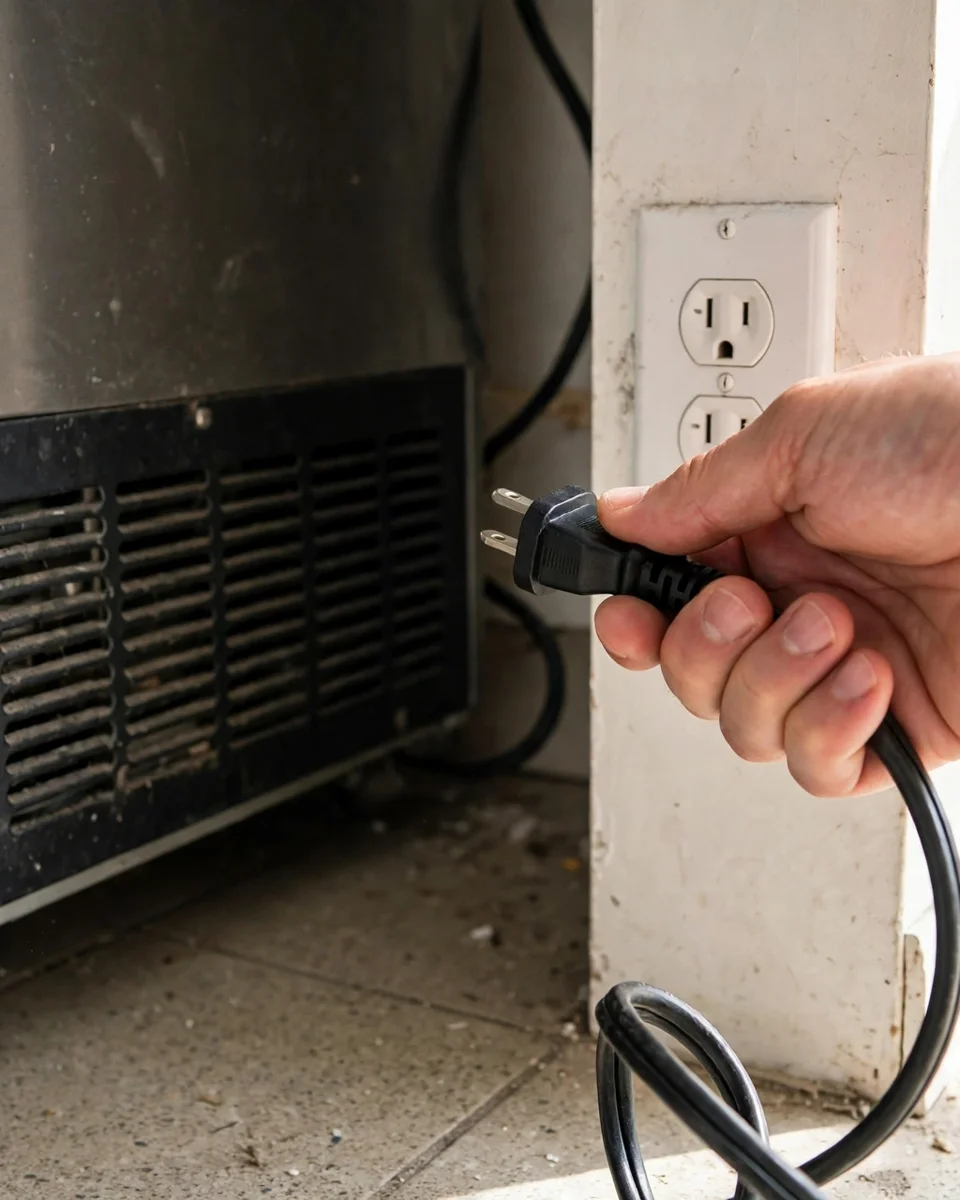
Rung 5 — power-cycle. Unplug the fridge (or switch its breaker) for a full minute, restore power, let the panel finish booting, and repeat the standard hold. Control boards occasionally latch a state that only a cold restart clears; your temperature settings survive a one-minute cut. If the light is still red after rung 5 with a correctly seated cartridge, the remaining suspect is the panel or board itself — a service issue, not a filter issue.
If the light comes back on
A reset that holds for days and then relights usually means one of two things: the timer genuinely expired again because the previous change was never reset (the reset you just did cleared the display, and the underlying schedule re-asserted at its true date — reset once more and note the date), or the cartridge-presence detection is intermittent, which points back to rung 4’s seating. A light that returns within hours, every time, after a confirmed reset and a firm reseat, joins the service-call category. Track the pattern for a week before paying for that call; intermittent panel faults are far easier to diagnose with dates attached.
Conclusion
Reset instructions are simple; reset troubleshooting is a ladder. Swap, flush, unlock, hold a true counted 3 seconds — then, only if needed: verify the combination, reseat the cartridge, power-cycle for a minute. Nearly every stubborn filter light surrenders to one of those rungs, and the few that do not have told you something real about the panel. Either way, you end up knowing.
Update log
October 2026: Instructions published, sequenced from manufacturer troubleshooting flows for Samsung, LG, GE, Frigidaire and Whirlpool-family panels.
FAQs
What are the basic fridge water filter reset instructions?
Change the cartridge, flush 2–4 gallons, then press and hold the filter button (Filter Reset / Water Filter / Filter Status, depending on brand) for about 3 seconds until the indicator changes color or goes out. Some models use a two-button combination or a settings menu instead — our every-brand reset guide tabulates them.
Why does my filter light stay red after I reset it?
Climb the ladder: the panel may be locked (Child Lock on), the hold may have been too short or off-center, your model may need a button combination or menu path rather than the single button, the cartridge may not be fully seated, or the panel may need a one-minute power cycle. One of those five resolves nearly every case.
Should I reset the light before or after changing the filter?
After — always. The light is a timer, and resetting it before the swap leaves an exhausted cartridge running behind a green light with no reminder left. The correct order is swap, flush, then reset.
My filter light reset fine, then came back on a few days later. Why?
Most likely the previous change was never reset, so the timer’s underlying schedule re-asserted at its real expiry — reset once more and record the date. The other candidate is intermittent cartridge detection from a marginal seat: reseat the cartridge firmly. A light returning within hours after both fixes is a panel issue.
Does unplugging the fridge reset the filter light?
Not by itself — the power cycle is a way to clear a stuck control panel, after which you still perform the normal button hold. Think of it as rung five of the troubleshooting ladder, not a reset method: unplug for a minute, restore power, then hold the filter button for 3 seconds.
The reset button does nothing at all — no beep, no change. What now?
Start with the padlock: a locked panel ignores all input, and unlocking is itself a 3-second hold on the lock control. Next, verify you are using your model’s actual method (combinations and menus defeat single-button holds completely). Then reseat the cartridge and power-cycle. Silence after all of that points to the panel hardware.