
Fridge Water Filter Reset Guide (2026): Every Brand
Guide
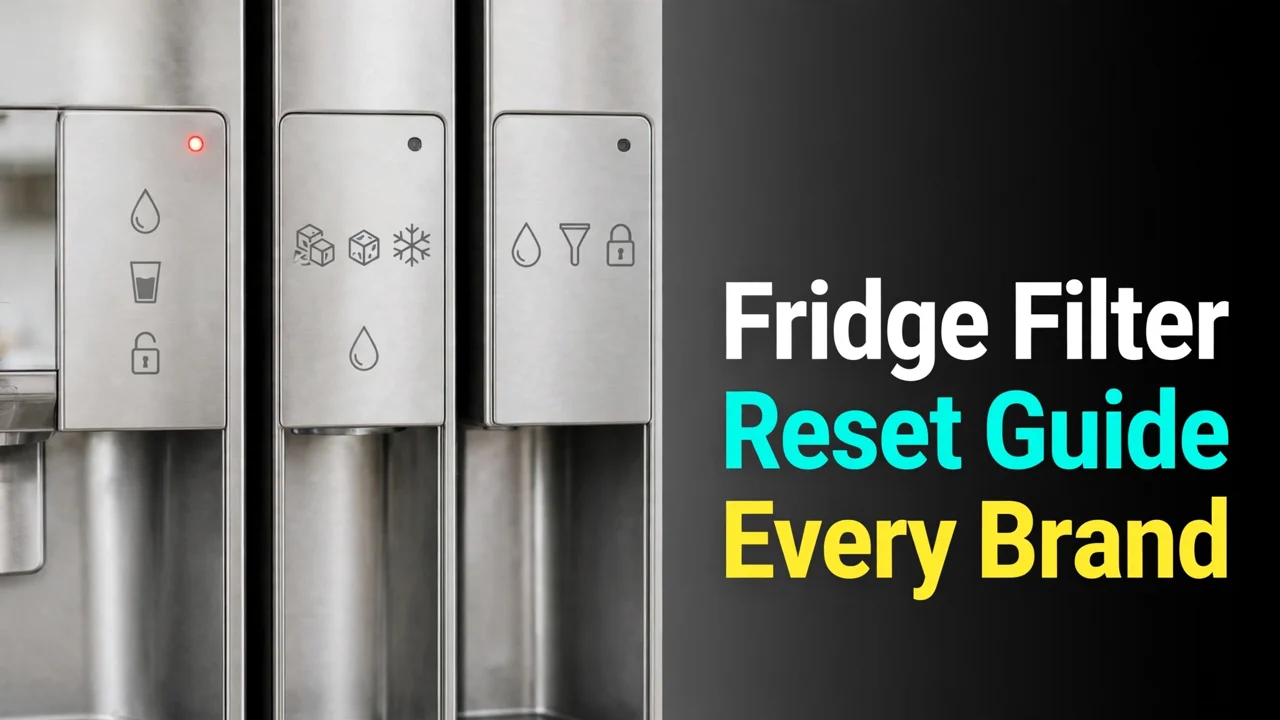
Every fridge brand resets its filter light differently, and the button is labeled differently, and the hold time is not written anywhere on the fridge itself. So the new filter goes in, the red light stays on, and the owner goes searching. This is the one page with every major brand’s reset in one table — plus the two facts that make all resets make sense.
Fact one: the light is a timer, not a sensor — it counts roughly six months and cannot tell a new cartridge from an old one, so it almost never resets itself. Fact two: nearly every brand uses the same gesture, a press-and-hold of about 3 seconds on the filter button — what varies is which button, whether it takes a combination, and whether your model hides the reset in a menu instead. Find your brand below.
Table of Contents
The reset table: every brand

| Brand | Reset method |
|---|---|
| Samsung | Hold Filter Reset ~3 seconds. Older panels: hold Ice Type + Child Lock together ~3 seconds. Family Hub: Fridge Manager → Fridge Settings → Water Filter → Reset. (Full walkthrough: our Samsung reset guide.) |
| LG | Hold the Water Filter button ~3 seconds until the indicator clears. |
| GE / GE Profile / Café | Hold the Water Filter / Reset Water Filter pad on the dispenser ~3 seconds. XWFE and RPWFE models also read the cartridge’s chip as part of filter tracking. |
| Frigidaire | Hold the Reset button on the dispenser control ~3 seconds, until the indicator returns to green; some models go through Options → Water Filter → Reset on screen. |
| Whirlpool | The most varied family: most models hold Filter Status / Reset ~3 seconds; others reset through the dispenser options menu. Check your model in our EDR4RXD1 guide family notes. |
| Maytag / KitchenAid / Amana | Whirlpool-built: generally a ~3-second hold on the filter status control, as above, with model-level variation. |
| Bosch | Hold the filter button on the control panel ~3 seconds; some models place it in the settings menu. |
| Kenmore | Follows the original manufacturer — Kenmore fridges are built by LG, Whirlpool or Samsung, so identify the platform (the cartridge family tells you) and use that brand’s method. |
Why most resets are the same gesture

The 3-second hold is deliberate design: a passing tap adjusts temperatures or dispenses ice, so manufacturers put mode-changing actions behind a hold. That is also why the top reset failure is a tap masquerading as a hold — press, count “one-one-thousand, two-one-thousand, three-one-thousand”, and watch for the indicator to switch color or extinguish. Our general reset instructions guide walks the order of operations — swap, flush, then reset — and why that order matters.
The exceptions: chips, menus and built-in screens
Three wrinkles break the simple pattern. Chip-reading models (GE’s XWFE and RPWFE lines, covered in our XWFE replacement guide) verify the cartridge electronically — the button hold still resets the display timer, but a chipless cartridge will keep raising filter errors no matter how many times you reset. Menu-driven models (Frigidaire’s screen models, Samsung Family Hub) move the reset into software: look under Options or Fridge Settings for “Water Filter”. Combination panels (older Samsung, some Whirlpool) share the reset across two buttons held together — the pair is printed in tiny text on the panel or listed in the manual’s filter section, never on the cartridge.
When the light still will not reset
- Panel locked. Child Lock disables holds on most brands. Unlock, then hold.
- Cartridge not fully seated. Reseat until it locks; presence switches on some models gate the reset.
- Wrong button. On combo panels, neither button alone does anything — hold the pair.
- Too short a hold. A true 3 seconds, counted, not estimated.
- Stuck panel. A one-minute power cycle (plug or breaker) clears it; then repeat the hold.
Still red after all five? The remaining suspect is the panel itself — but that is a service call, not a filter problem, and it is genuinely rare compared to the five causes above.
Conclusion
One table, one gesture, three exceptions: hold the right button (or button pair) for a full 3 seconds after swapping and flushing, use the menu on screen-driven models, and remember that chip-reading GE models also need a chipped cartridge before the warnings stop. The light is only a calendar — resetting it is telling the truth to the fridge about a swap you actually did.
Update log
October 2026: Guide published with reset methods cross-checked against Samsung, LG, GE, Frigidaire, Whirlpool, Bosch and Kenmore owner documentation.
FAQs
Do fridge filter lights reset automatically after changing the filter?
Almost never. The indicator is a timer on a roughly six-month schedule, and it does not detect the new cartridge — you reset it manually with a button hold or a menu action. The main exception is partial: GE’s chip-reading models (XWFE, RPWFE) register the cartridge electronically for filter tracking, but the display reset is still worth doing.
How long do I hold the filter reset button?
About 3 seconds on nearly every brand — Samsung, LG, GE, Frigidaire, Bosch and most Whirlpool-family models. Hold until the indicator changes color or goes out. A quick tap does nothing on purpose: the hold is what separates a reset from the button’s everyday function.
Why will my filter light not reset?
Work the checklist: panel unlocked (Child Lock off), cartridge fully reseated, the correct button or button combination, a full counted 3-second hold, and finally a one-minute power cycle for a stuck panel. One of those five resolves the overwhelming majority of cases.
Can I reset the filter light without changing the filter?
Yes — nothing mechanical stops you, because the light is only a timer. But you would be silencing your only replacement reminder while an exhausted cartridge stays in service. Reset when you swap; if you must reset at another time, write the real change date down somewhere the fridge cannot argue with.
My fridge has no filter reset button — where is it?
Three hiding places: it shares a button with another function (older Samsung panels use Ice Type + Child Lock held together), it lives in the on-screen settings (Frigidaire screen models, Samsung Family Hub: look for Water Filter under Options or Fridge Settings), or the panel is inside the fridge rather than on the dispenser. Kenmore owners should identify which manufacturer built the fridge and use that method.
Does resetting the light extend the filter’s life?
No. The reset changes the indicator, not the cartridge. An exhausted carbon bed stays exhausted behind a green light — flow keeps dropping and taste keeps drifting. The light exists to remind you of the six-month or rated-gallon interval; the filter’s actual condition shows up at the dispenser.